Install
You don't need to install anything to use Tuneline Studio: create an account in the browser, and optionally connect your own computer so it can run pipelines.
There are three ways to use Tuneline:
| Option | Install needed | Choose it when |
|---|---|---|
| Use the hosted studio | None | You want to start right away. This is the usual path. |
| Connect your own computer | A one-time setup on that computer | You want to train on your own NVIDIA GPU (or run the CPU smoke test) for free. |
| Host your own copy | A Supabase project and a Vercel project | You operate Tuneline for yourself or your team. |
Use the hosted studio
- Open
https://tuneline-studio.vercel.app. - Choose Continue with GitHub or Continue with Google, then approve the sign-in on GitHub or Google. The first time, this creates your account. There is no email to confirm.
The email address on your GitHub or Google account must be a Gmail, Yahoo, Outlook or work (organization) address: other free and throwaway email providers, such as iCloud, Proton or Mailinator, can't create accounts.
Already have an account with a password? Sign in with your email and password under the buttons. Signing in through GitHub or Google with the same email address opens that same account.
Each button appears only when the operator of your Tuneline site has turned that sign-in on. If neither appears, the site isn't taking new accounts right now.
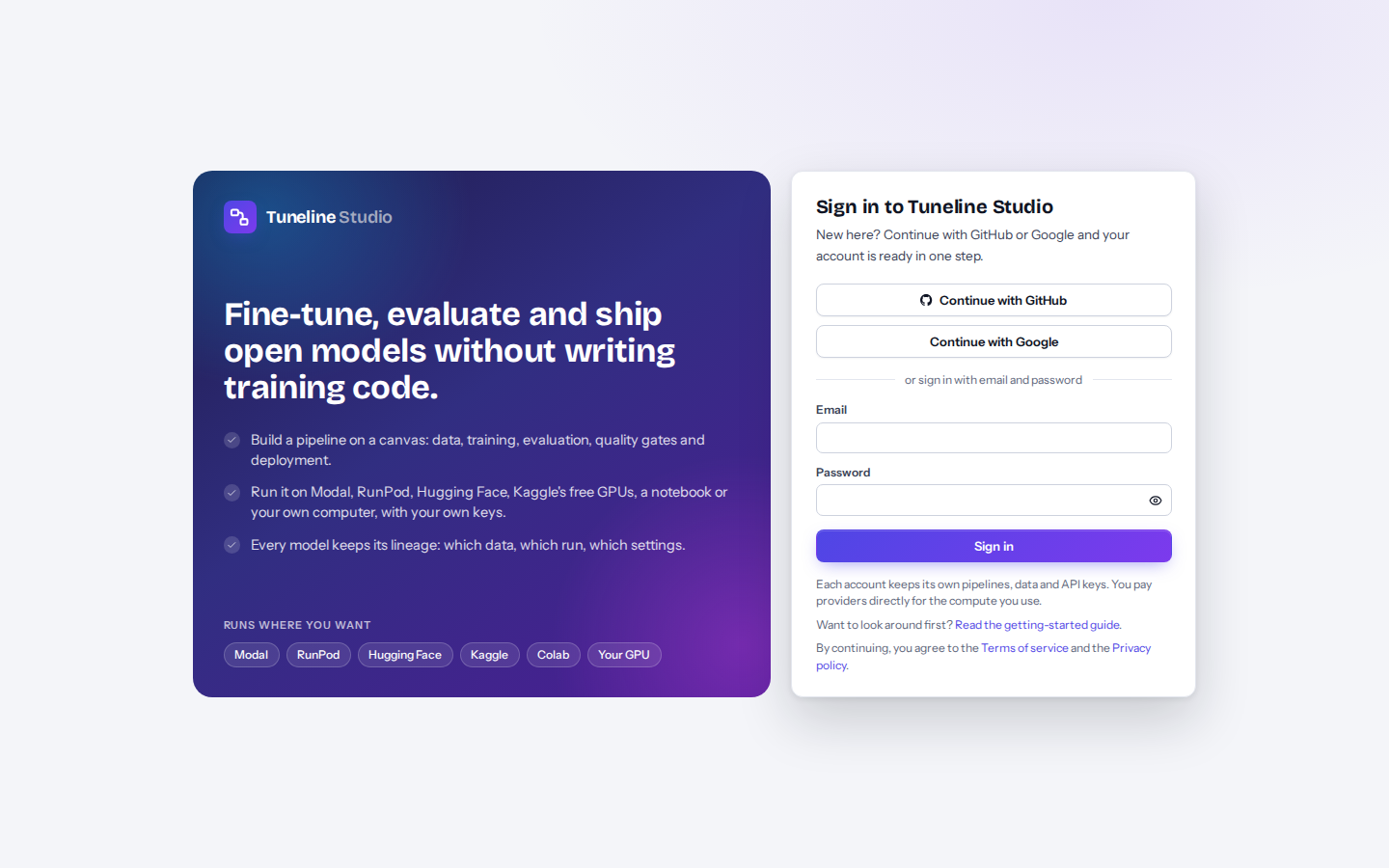
Each account keeps its own pipelines, datasets and API keys. Once you're signed in, add a Hugging Face write token in Settings → API keys, then continue with Your first pipeline in 10 minutes.
Connect your own computer (optional)
A worker is a small background program on your computer that picks up runs you send to My computer. It connects out to Tuneline, so you don't need to open any ports. You set it up once; after that, runs start on it by themselves within about 30 seconds.
What you need
| Requirement | Details |
|---|---|
| Python 3.10 to 3.13 | On Windows, install it from python.org with the py launcher and tick "Add python.exe to PATH". |
| An NVIDIA GPU and a recent driver (for training) | Optional. Without a GPU, the worker uses the CPU, which is enough for the CPU smoke test. |
| About 3 GB of free disk space for PyTorch | Plus room for the models you train. |
| Your own computer | A worker runs pipeline code with your saved keys. Only connect computers you control. |
QLoRA on Windows
LoRA and full fine-tuning work natively on Windows. QLoRA depends on the bitsandbytes package, which is built
for Linux first, so on Windows the most reliable way to use QLoRA (and Unsloth) is WSL2 with Ubuntu, using the
macOS / Linux command below.
Set up a Windows computer
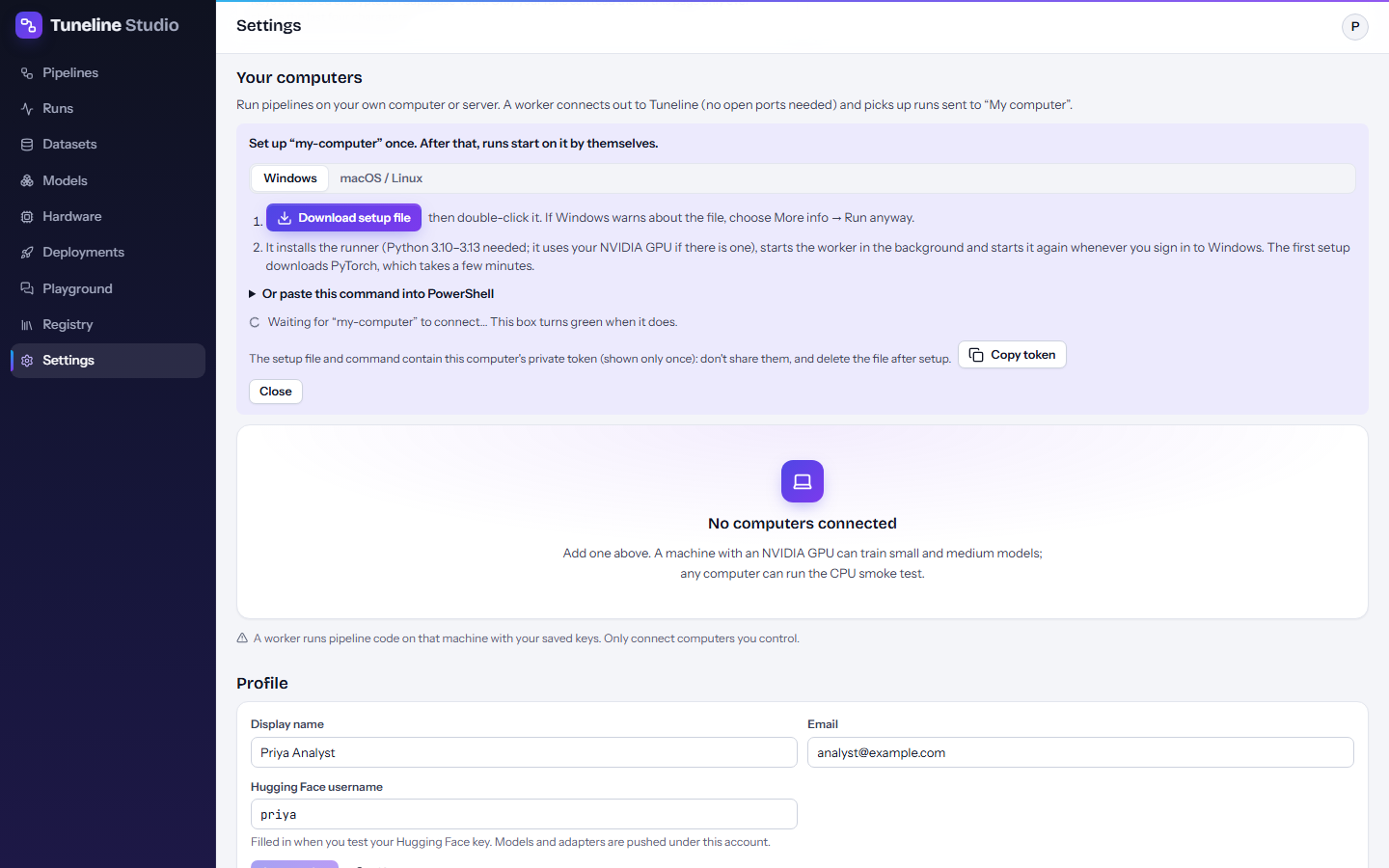
- In Tuneline, open Settings → Your computers.
- Type a name for the computer (for example
office-4090) and select Add a computer. - On the Windows tab, select Download setup file.
- Double-click the downloaded file (
tuneline-setup-<name>.cmd). If Windows SmartScreen warns about the file, choose More info → Run anyway. - Wait while it installs. The first setup downloads PyTorch, which takes a few minutes.
- The box in Settings → Your computers turns green when the computer connects.
Prefer the command line? Expand Or paste this command into PowerShell and paste the command into a PowerShell window. It looks like this (your address and token are filled in for you):
$env:TUNELINE_WORKER_TOKEN='tlw_...'; irm https://tuneline-studio.vercel.app/runner/install.ps1 | iex
Warning
The setup file and the command contain your computer's private worker token (tlw_...), shown only once. Don't
share them, and delete the setup file after setup. If a token leaks, remove the computer in
Settings → Your computers and add it again.
What the setup installs
- A Python virtual environment in
%USERPROFILE%\.tuneline\venv. - PyTorch and torchvision: the CUDA 12.8 build when
nvidia-smiworks (an NVIDIA GPU and driver are present), otherwise the CPU build. - The Tuneline runner, the program that runs your pipelines.
- A background worker that starts right away, runs hidden, and starts again every time you sign in to Windows (through a Tuneline worker shortcut in your Startup folder; no administrator rights needed). You can close the setup window.
Useful files, all in %USERPROFILE%\.tuneline:
| File | Use |
|---|---|
worker.log |
The worker's log. Look here first if runs don't start. |
stop-worker.ps1 |
Stops the background worker: powershell -ExecutionPolicy Bypass -File "%USERPROFILE%\.tuneline\stop-worker.ps1". It starts again at your next sign-in unless you remove the Tuneline worker shortcut from your Startup folder. |
To change how the setup behaves, set one of these environment variables in PowerShell before you paste the command:
| Variable | Effect |
|---|---|
TUNELINE_NO_AUTOSTART=1 |
Don't create the Startup shortcut: the worker won't start with Windows. |
TUNELINE_FOREGROUND=1 |
Run the worker in the PowerShell window instead of in the background. Stop it with Ctrl+C. |
For example: $env:TUNELINE_NO_AUTOSTART='1' followed by the install command.
Set up a macOS or Linux computer
- In Settings → Your computers, add a computer as above and choose the macOS / Linux tab.
-
Copy the command and run it in a terminal:
-
Keep the terminal open. The worker runs in that terminal; stop it with Ctrl+C. To keep it running permanently, run
tuneline workerunder your system's service manager.
The installer creates ~/.tuneline/venv and installs PyTorch (the CUDA build when an NVIDIA GPU is present, the
Apple silicon build on macOS, the CPU build otherwise) and the runner. On Ubuntu you may need the python3-venv
package first. QLoRA isn't available on macOS.
Update or reinstall
Run the setup file or command again. It reuses the existing environment and replaces the runner with the version that matches the studio. If your computer shows Offline after a restart or sleep, turning it on and signing in is usually enough on Windows; otherwise run the setup again.
To check the setup at any time, run the runner's doctor command: on Windows
& "$env:USERPROFILE\.tuneline\venv\Scripts\tuneline.exe" doctor in PowerShell, on macOS / Linux
~/.tuneline/venv/bin/tuneline doctor. For more on workers, see Your computer.
Host your own copy
Tuneline Studio is open source (Apache License 2.0), so you can run your own copy. A deployment has two parts:
- a Supabase project for sign-in, the database with row level security, encrypted key storage (Vault), file storage, live updates and a 5-minute background job;
- a Vercel project that serves the web app and the Python API that launches jobs.
You apply the database migrations, set four environment variables on Vercel, deploy with the included script, and adjust the sign-in settings (site URL, redirect URLs, email delivery, optional GitHub sign-in). The full procedure is in Self-hosting.