Tuneline Studio
Fine-tune, evaluate and ship open language models without writing training code. Build a pipeline on a canvas (data, training, evaluation, quality gates, publishing and deployment), run it on a free GPU, a cloud GPU or your own computer, and watch every step live.
Get started Open the studio Your first pipeline in 10 minutes
Getting started
-
Install
Nothing to install to use the studio. Connect your own GPU with a one-time setup file.
-
Getting started
Run the CPU smoke test end to end, then fine-tune a model you can use in an app.
-
Try Tuneline online
Free ways to run: Kaggle's free GPUs, a Colab notebook or your own computer.
Documentation
-
User guide
Every screen and every task: the editor, datasets, running, watching runs, evaluation, the registry, deployments and the playground.
-
API reference
All pipeline blocks with their settings, artifact types, templates, the REST API and the
tunelinecommand. -
Contributing to Tuneline
Set up a development copy, run the tests, and host your own Tuneline.
-
Release notes
What's new in each version, and the known limitations.
Community
-
About Tuneline
Your keys, your bill, your models: how Tuneline works and what it stands for.
-
Ask a question
Check troubleshooting and the FAQ, then ask with the details that get a fast answer.
-
Ecosystem
The open-source projects and services Tuneline builds on: Transformers, TRL, PEFT, vLLM, llama.cpp and more.
How it works in one picture
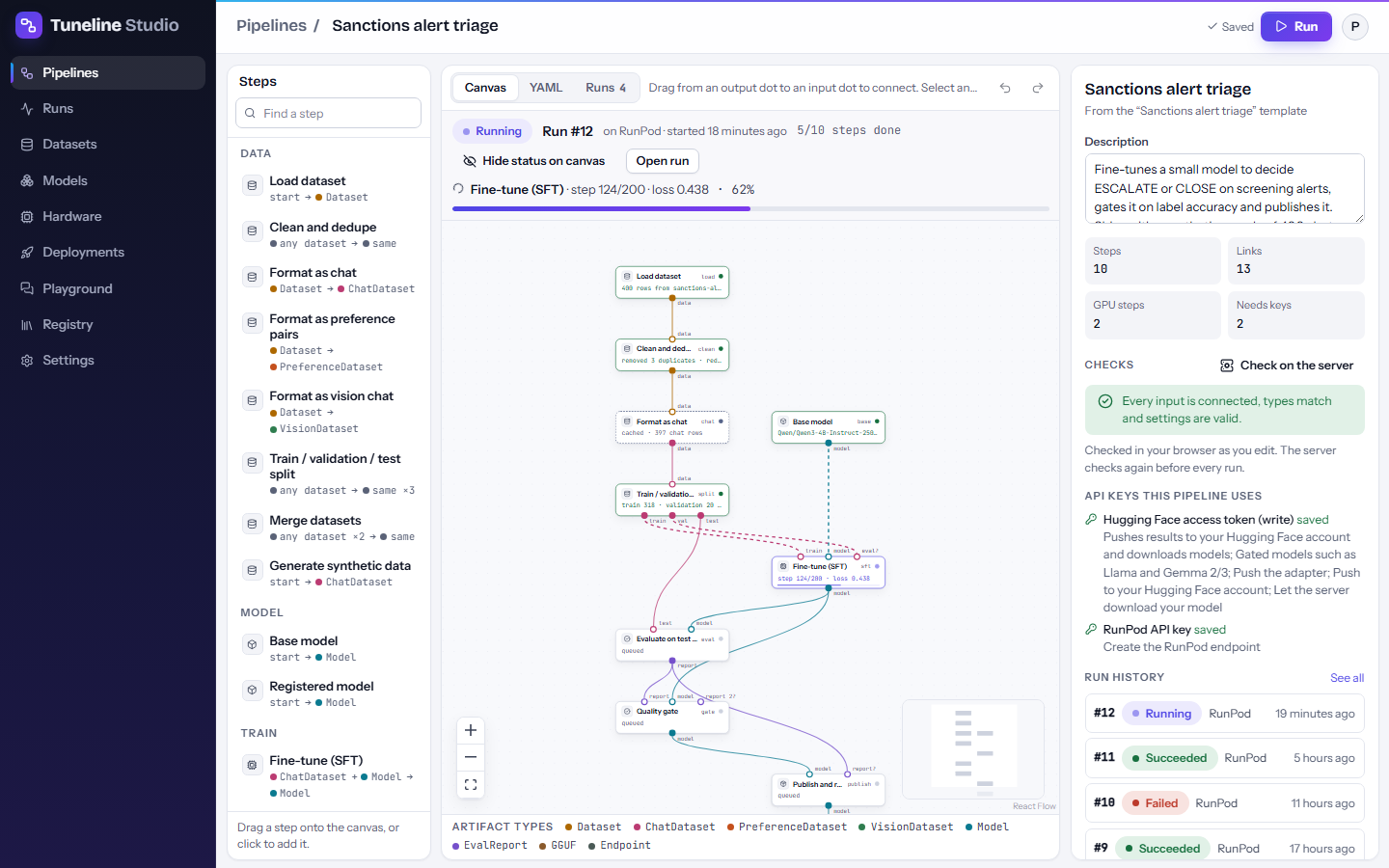
- Build a pipeline from a template or from scratch: drag blocks onto the canvas and connect them.
- Run it where you like. The Run dialog shows whether the model fits each GPU, how long it takes and what it costs.
- Watch it live: the canvas and the run page show each step, the logs, loss curves and evaluation scores.
- Ship the model: it goes to your own Hugging Face account and the Registry, ready for an app, Ollama or an endpoint.